

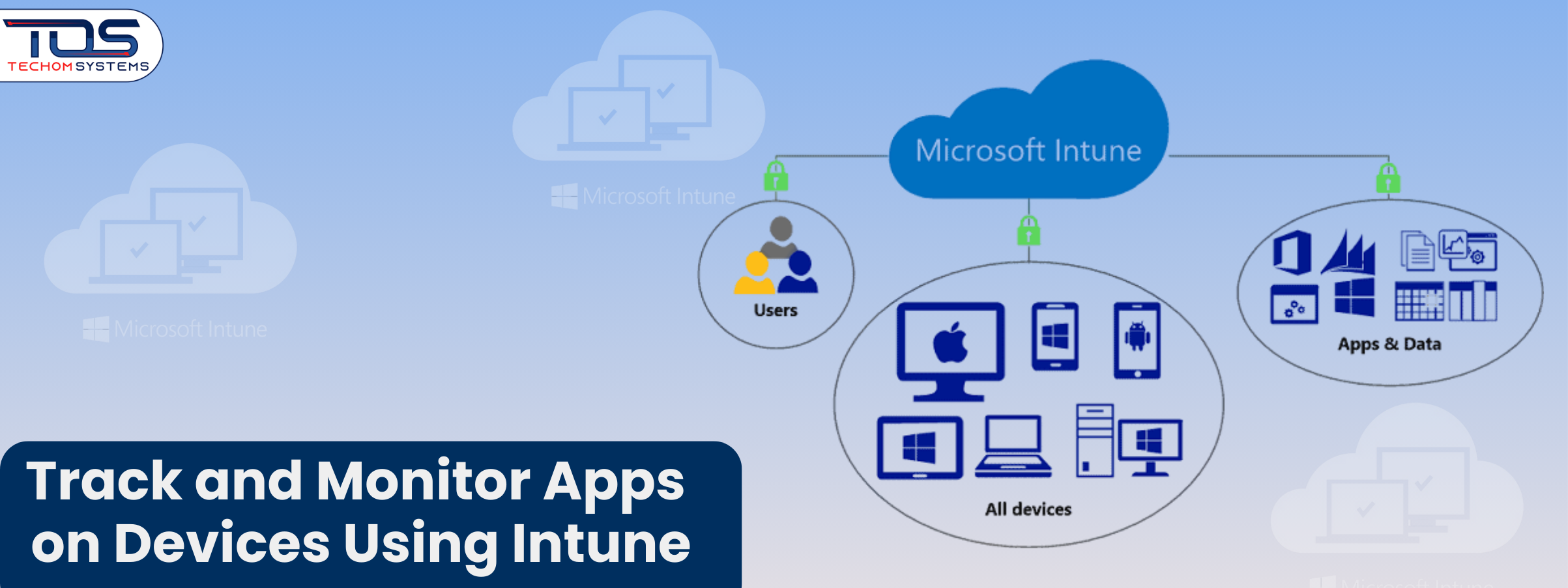
Are you struggling to track and monitor apps on devices using Intune in your business? Imagine your IT team receives a call that a critical business app is not working on several devices. At the same time, unauthorized apps are running on employee devices and no one knows which software is outdated or poses a security risk. Managing apps across multiple devices can feel overwhelming. These issues can slow down productivity and put sensitive business data at risk.
Microsoft Intune offers a reliable solution to track and monitor apps on devices using Intune. With Intune, businesses can maintain security, ensure compliance and manage apps efficiently across all devices.
Using Intune device monitoring for businesses, IT teams gain full visibility into app usage. By tracking mobile apps using Microsoft Intune, companies can quickly identify outdated apps, enforce policies and keep their systems secure.
If managing apps on multiple devices feels challenging, you can book a free consultation with TECHOM Systems. Our experts will guide you on setting up Intune, tracking mobile apps effectively and maintaining full compliance across your organization.

Why App Monitoring Matters For Your Business?
Managing apps across multiple devices can be challenging for any business. Without proper monitoring, apps can create security risks, slow down systems and waste valuable resources. Employees may install applications that are unnecessary or non compliant, leading to disruptions and inefficiencies.
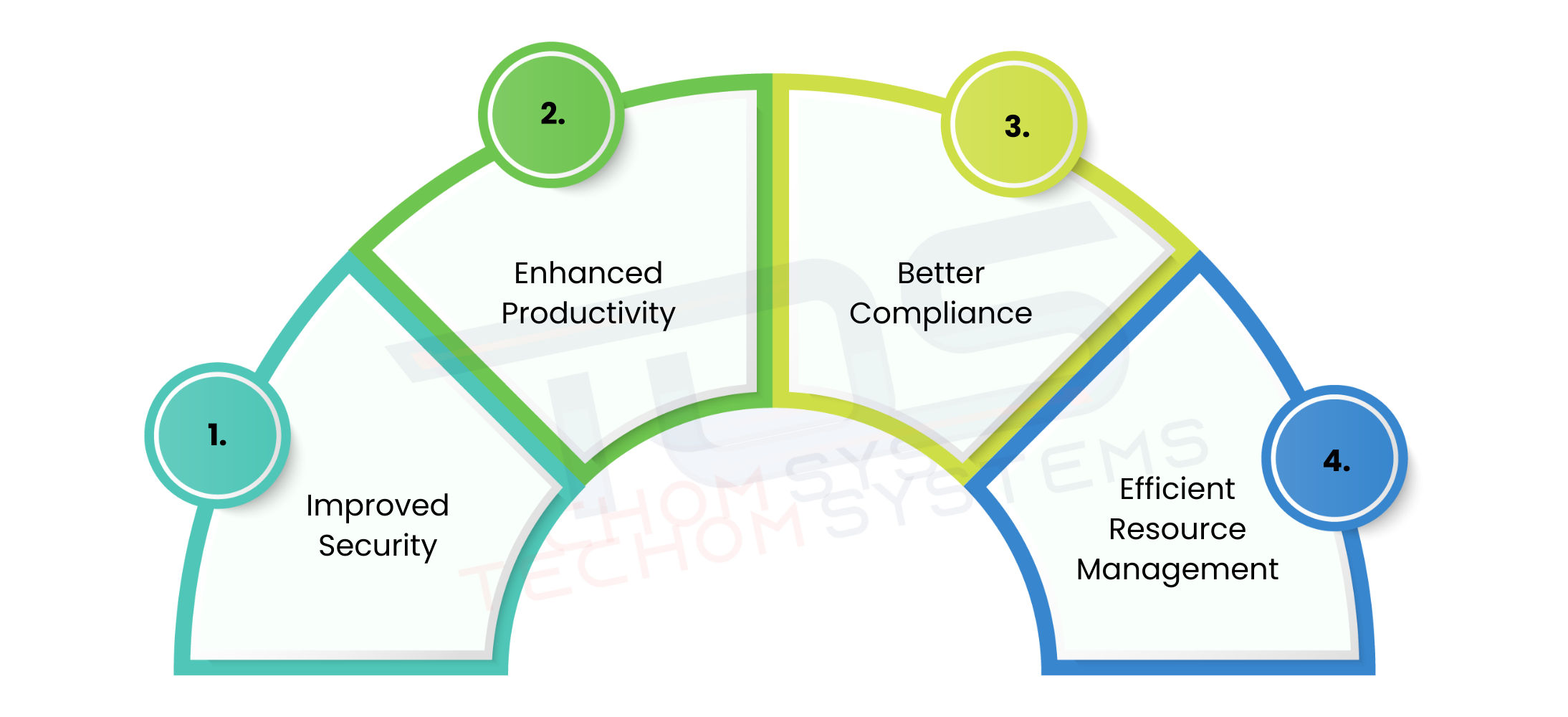
Using Intune device monitoring for businesses helps IT teams keep full control over app usage. By tracking mobile apps using Microsoft Intune, companies can quickly see which applications are being used, which need updates and which may pose a security risk. This ensures that every device follows company standards and stays secure. Here are some key reasons why monitoring apps on devices is essential:
- Improved Security: Monitoring apps helps identify unauthorized or risky applications before they compromise sensitive business data.
- Enhanced Productivity: IT teams can remove or restrict unnecessary apps, ensuring employees use only approved tools.
- Better Compliance: Enforcing company policies on all devices ensures regulatory and internal compliance.
- Efficient Resource Management: Tracking app usage helps allocate resources effectively and avoid wasting software licenses.
By implementing app monitoring with Intune, businesses can maintain a secure, efficient and compliant IT environment while reducing the risk of disruptions.
Free Guide For You: How Does Microsoft Intune Work?
Why Microsoft Intune Is The Best Solution?
Imagine this: your IT team receives a report that some employees cannot access a critical business app on their devices, while other devices are running unauthorized applications. Without a clear overview, it becomes difficult to identify the problem quickly. Microsoft Intune solves this challenge by providing a centralized platform to track and monitor apps on devices using Intune.
Intune is a cloud based service that helps businesses manage apps and devices efficiently. IT teams can learn how to monitor apps on devices with Intune to gain full visibility across platforms like Windows, iOS and Android.
The platform provides real time insights, allowing teams to quickly identify issues, enforce compliance and make informed decisions while keeping all devices secure. Here is how Intune can help:
- Simplified App Deployment: Quickly push business applications to all devices so employees always have the tools they need.
- Real Time Monitoring: Track which apps are functioning properly and which devices may have unauthorized or outdated applications.
- Policy Enforcement: Automatically ensure all devices comply with company security and operational standards.
- Actionable Reporting: Generate detailed reports to understand usage trends, troubleshoot problems and prevent future disruptions.
By using Microsoft Intune, IT teams can respond to issues faster, maintain secure operations and ensure employees always have access to the apps they need to perform their work efficiently.
Step By Step Guide To Monitoring Apps with Intune
Managing apps across multiple devices can feel overwhelming for IT teams. Without a proper process, critical applications may fail to work, unauthorized apps can run on employee devices and outdated software can create security risks. Using Microsoft Intune, businesses can simplify these tasks and maintain full control over all devices. Here is a step by step approach to track and monitor apps on devices using Intune effectively:
Step 1: Enroll Devices into Intune
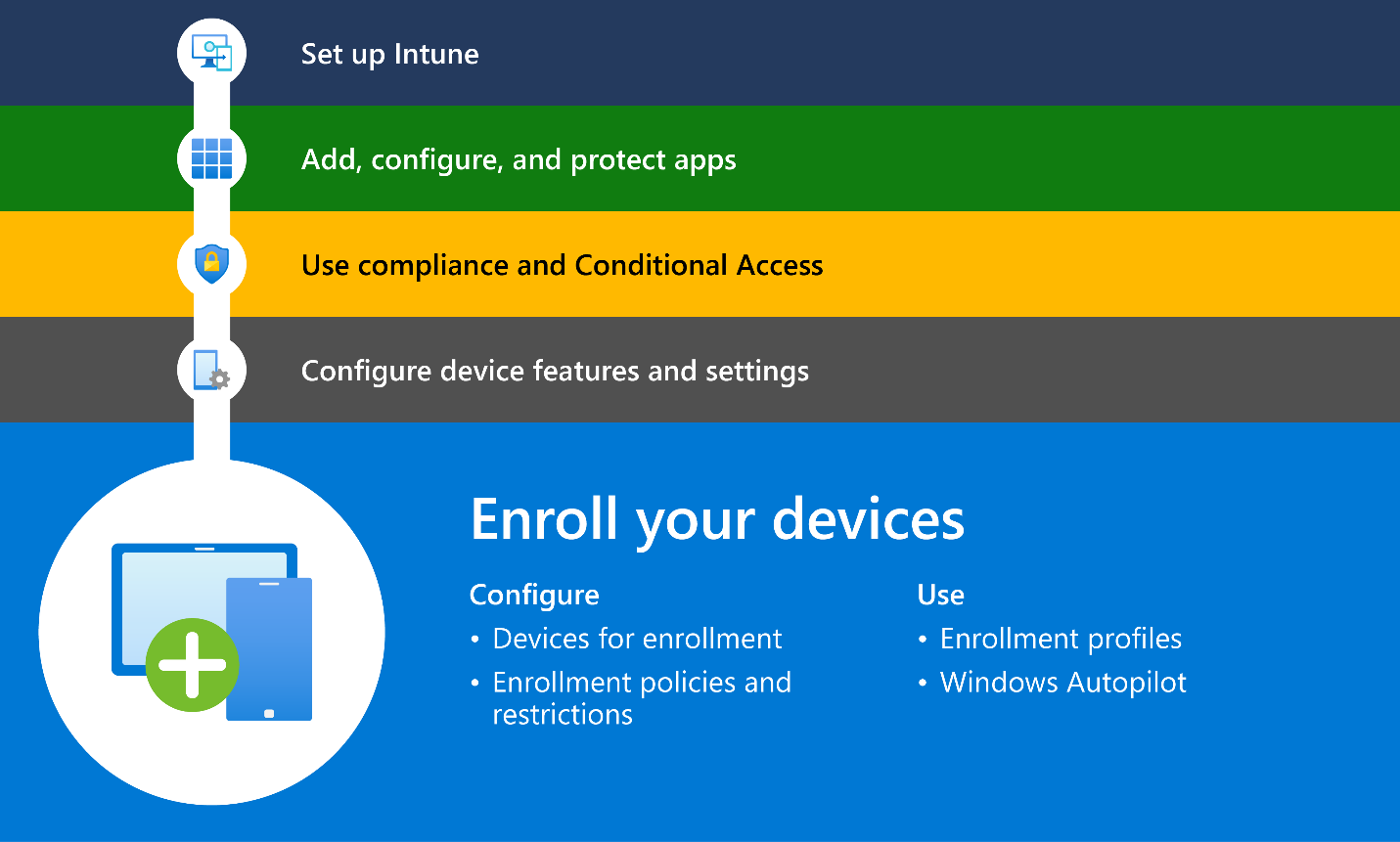
Start by enrolling all devices into Intune, including Windows PCs, iPhones and Android devices. Enrollment ensures every device can be monitored, secured and managed efficiently. Once enrolled, IT teams have full visibility over all applications installed on these devices.
Image Source: Microsoft
Step 2: Deploy Apps and Track Usage
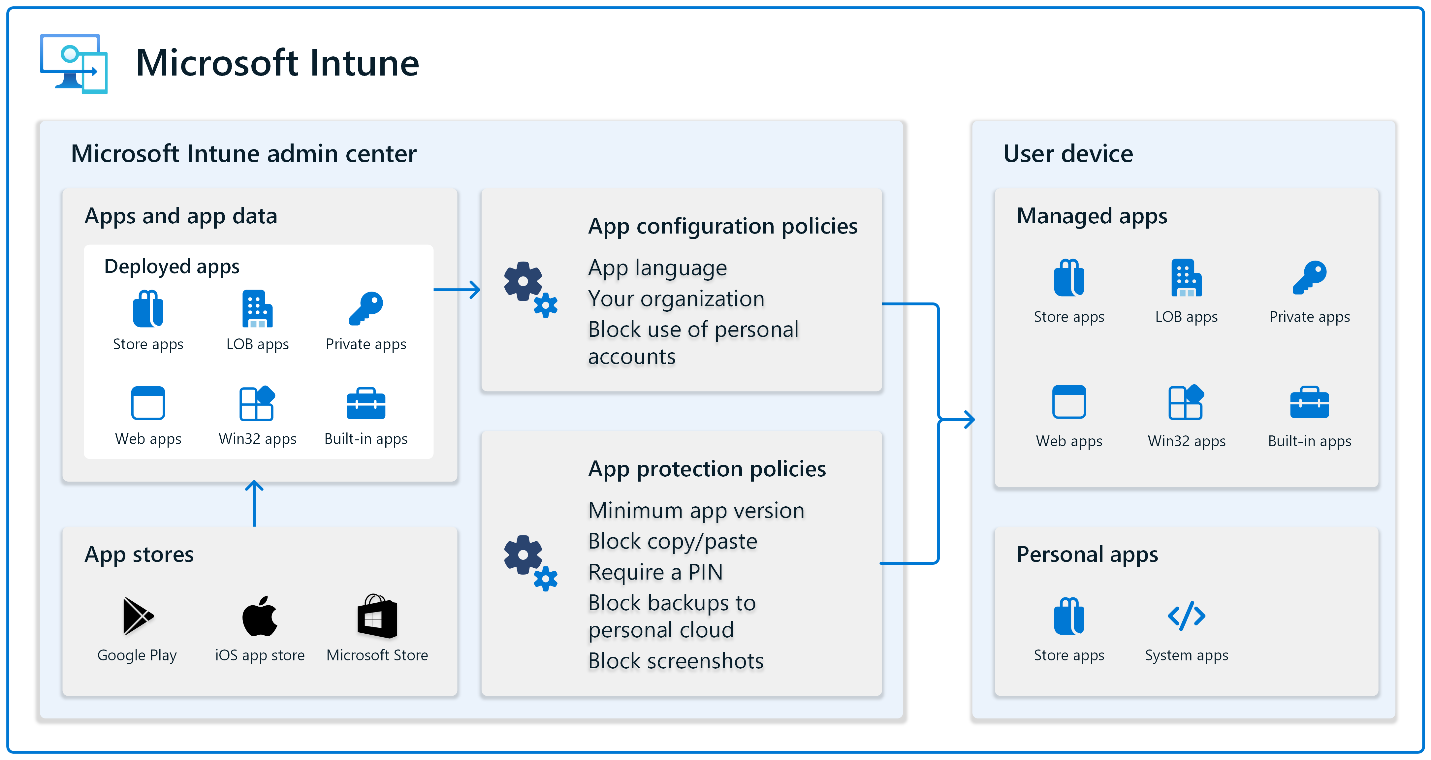
Image Source: Microsoft
After enrollment, deploy your business apps to all devices and monitor their usage. This step ensures employees are using authorized applications and that all updates are applied promptly. Consistent tracking helps businesses track and monitor apps on devices using Intune successfully, keeping operations smooth and secure.
Step 3: Monitor Device Compliance
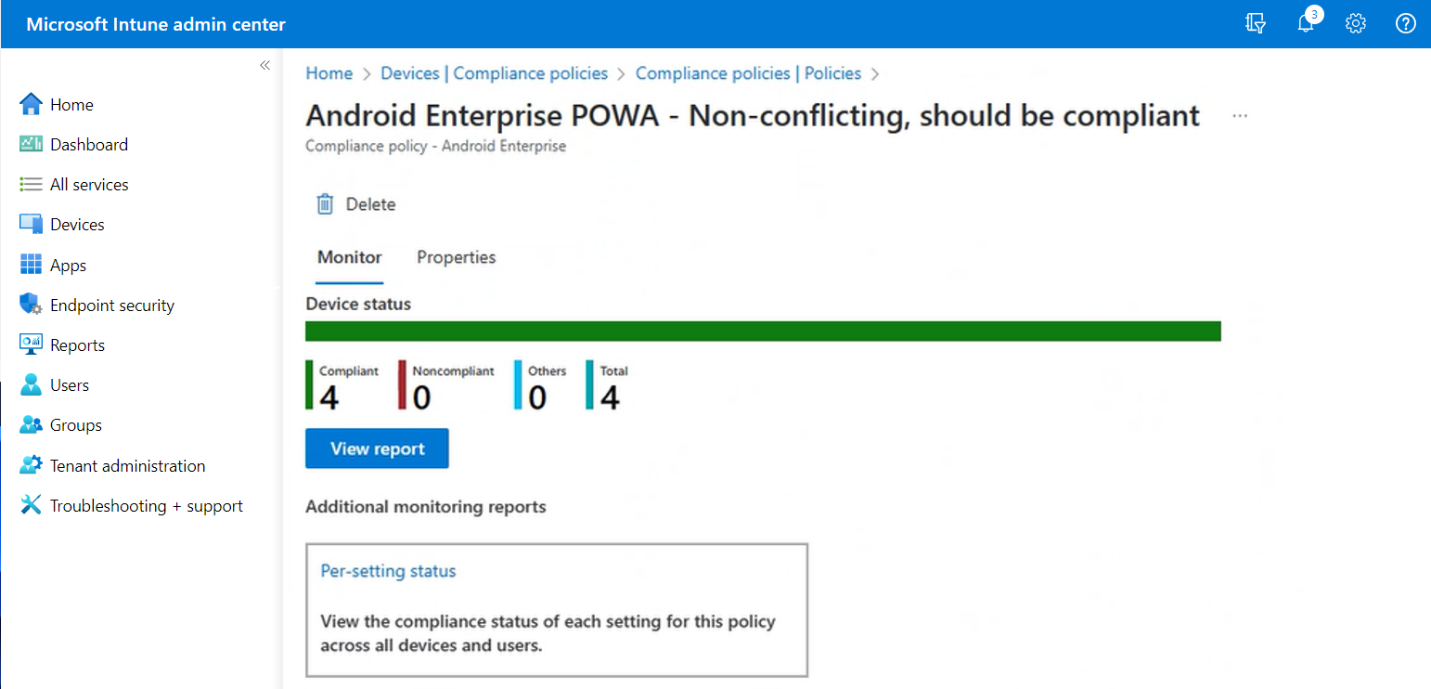
Image Source: Microsoft
Intune continuously checks whether devices comply with company security policies. Devices that do not meet compliance standards are flagged, allowing IT teams to act immediately. Monitoring compliance reduces security risks and ensures all devices operate within company guidelines.
Step 4: Generate App Usage Reports
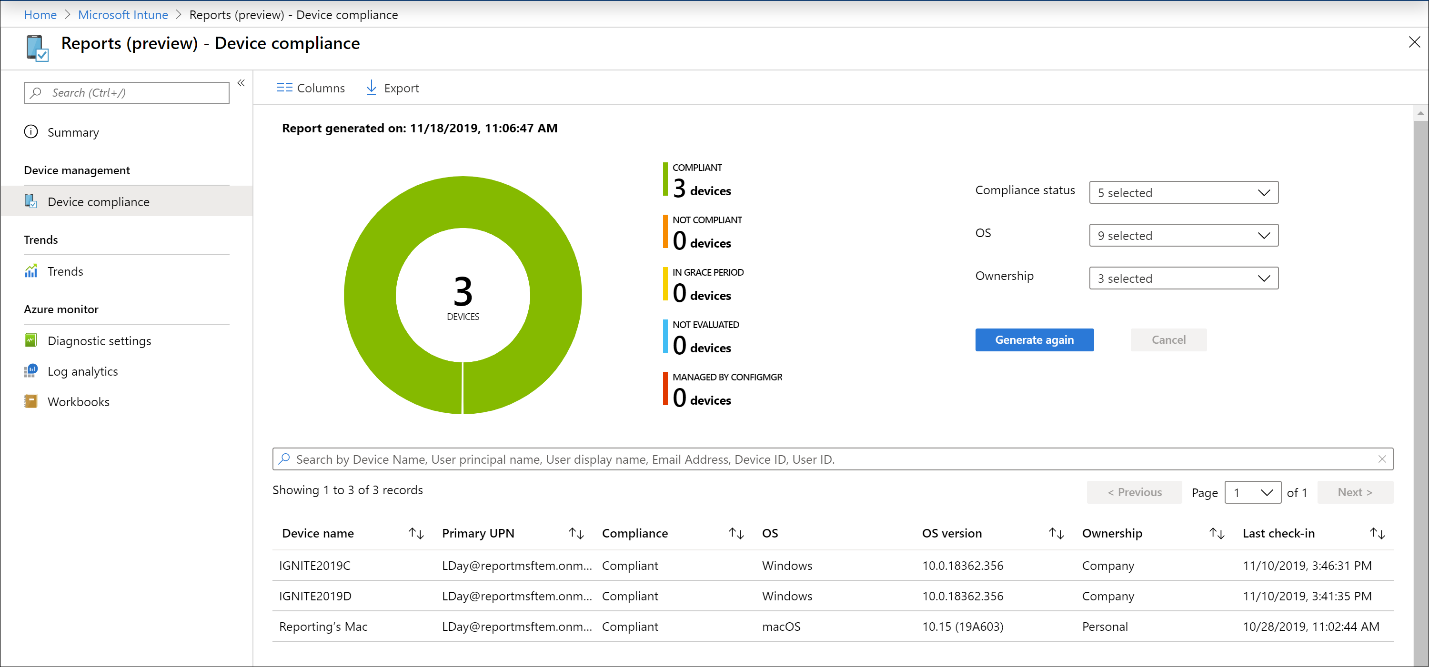
Image Source: Microsoft
Using Microsoft Intune app tracking and reporting, IT teams can access detailed insights about application usage. Reports show which apps are actively used, which are idle and which devices might pose security risks. This information helps businesses optimize their software environment and make informed decisions.
Step 5: Set Alerts and Notifications
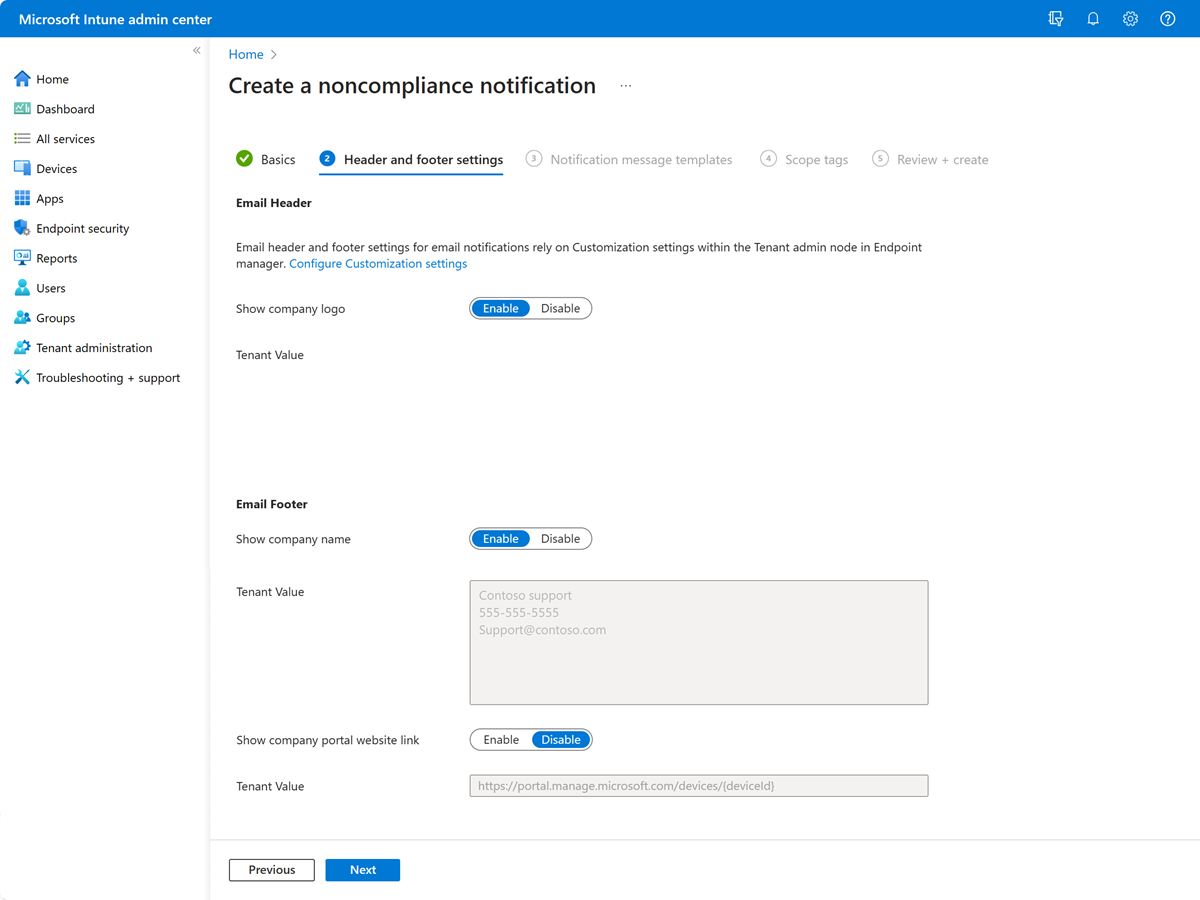
Image Source: Microsoft
Set up alerts for app updates, unauthorized installations, or potential security issues. Prompt notifications allow IT teams to respond quickly, preventing disruptions and maintaining smooth business operations.
By following these steps, businesses can efficiently track and monitor apps on devices using Intune, improve security, enforce compliance and ensure employees have the tools they need to stay productive.
If managing apps across multiple devices still feels challenging, you can book a free consultation with TECHOM Systems. Our experts will guide you through every step, from device enrollment to advanced app tracking, ensuring your business stays secure and fully compliant.
Benefits Of Using Intune For App Tracking
Managing apps across multiple devices can be challenging. Microsoft Intune makes this easier for IT teams by providing clear visibility, control and insights. The table below highlights the key benefits of using Intune to track and monitor apps on devices using Intune in everyday business operations:
| Benefit | Why It Matters |
|---|---|
| Centralized Management | IT teams can manage all apps and devices from one place, making it easier to see what is installed and how apps are being used. |
| Enhanced Security and Compliance | Helps prevent security risks by monitoring unauthorized apps and ensuring every device follows company policies. |
| Detailed Reporting | Provides clear insights into app usage and device compliance, helping businesses make smarter, data driven decisions. |
| Reduced IT Workload | Simplifies app deployment, updates and monitoring, so IT teams can focus on bigger projects rather than routine tasks. |
With these benefits, businesses can not only track mobile apps using Microsoft Intune effectively but also keep operations smooth, secure and efficient across all devices.
Choose TECHOM Systems For Microsoft Intune Consulting Services
Managing apps and devices across your business can be complex, especially when ensuring security, compliance and efficient usage. TECHOM Systems offers expert guidance and hands on support to help businesses track and monitor apps on devices using Intune effectively. Here are the reasons to choose TECHOM Systems for your Microsoft Intune needs:
- Expert Microsoft Intune Consulting Services: Our team provides tailored solutions for Intune device monitoring for businesses, helping you configure policies, deploy apps and secure endpoints efficiently.
- Mobile Application Management (MAM): Secure application level data access with policies that prevent corporate data from being transferred to personal storage, even on BYOD devices.
- Mobile Device Management (MDM): Configure devices with MDM using Intune and Autopilot deployment for centralized management, secure configurations and full visibility across your enterprise.
- Microsoft Endpoint Manager Support: We manage devices using Intune and conduct an Azure Active Directory Security Audit to ensure all endpoints are secure with Microsoft Defender, disk encryption, firewalls and threat detection.
- Actionable Reporting and Insights: Gain real time insights into app usage, compliance status and potential security risks to make informed decisions quickly.
- Reduced IT Workload: Simplify app deployment, updates and monitoring so your IT teams can focus on strategic initiatives rather than manual tasks.
By choosing TECHOM Systems, your business can efficiently track mobile apps using Microsoft Intune, maintain security, enforce compliance and optimize device management across all platforms.
Frequently Asked Questions
#1: Does Intune Have Device Tracking?
Ans: Yes, Microsoft Intune allows IT teams to track devices, monitor compliance and view real time activity, helping businesses maintain control and secure all endpoints efficiently.
#2: Can Intune See What Apps Are Installed?
Ans: Yes, Intune provides a clear view of installed apps on every device, letting IT teams track usage, updates and unauthorized applications across the organization.
#3: How To Check Device Activity In Intune?
Ans: You can track and monitor apps on devices using Intune by reviewing device activity reports in the Intune console to see app usage, compliance status and security events.
#4: Does TECHOM Systems Support Intune Monitoring?
Ans: Yes, TECHOM Systems offers expert Intune consulting services to help businesses deploy, monitor and manage devices effectively with real time insights.
Conclusion
In this blog, we discussed why it is essential to track and monitor apps on devices using Intune for businesses of all sizes. We explored the challenges of managing apps across multiple devices, including security risks, unauthorized applications and compliance issues. You learned how Microsoft Intune provides a centralized platform to simplify app management, monitor usage, enforce policies and generate actionable reports.
We also covered a step by step guide, the benefits of using Intune and how Intune device monitoring for businesses and Microsoft Intune app tracking and reporting help IT teams gain full visibility and control.
By reading this blog, you now understand how to monitor apps on devices with Intune effectively, maintain secure operations and make informed decisions to support your business growth.
Are You Ready To Simplify App Monitoring and Secure Your Business Devices?
Contact TECHOM Systems today and let our experts guide you through setting up Microsoft Intune for your organization.

Joe thrives at the intersection of technology and team productivity. With 8+ years in IT operations, cloud infrastructure and modern-driven process improvement, she excels at transforming complex systems into organized, manageable workflows. Joe’s real strength lies in helping teams make sense of technical environments, clarifying cloud deployments, streamlining IT processes and ensuring AI tools are applied effectively. Her approachable guidance and structured communication reduce confusion, boost collaboration and make technical innovation feel achievable. Joe believes technology works best when it empowers people, not complicates their work.


Morgan Phillips
February 18, 2026If we’re already using Intune, can you review and optimize our current setup?
Joe
February 18, 2026Yes, absolutely. We can assess your existing Intune configuration, identify gaps in app monitoring and compliance policies and optimize it for better security and visibility. We offer this as part of our managed Intune support services.