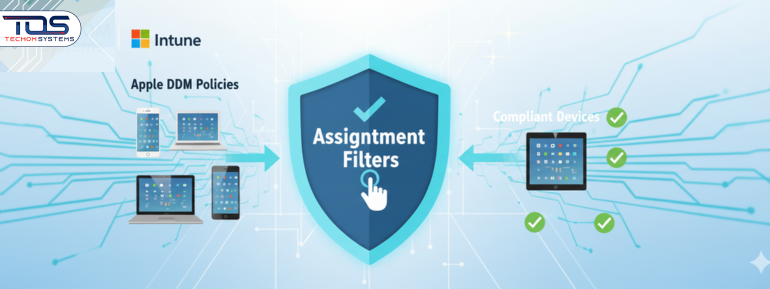
Micro Summary: Intune just got smarter for Apple devices. With Apple Declarative Device Management (DDM) and Assignment Filters, you can send updates only to the devices that are ready, like your corporate Macs. This makes rollouts smoother, faster and less stressful.
Intune can now target Apple DDM policies exactly, so updates go only to devices that are ready — making rollouts smoother and cutting down support issues.
Key Insights:
- The New Tool: Intune now lets us use Assignment Filters with our cutting-edge Apple Declarative Device Management (DDM) configurations.
- The Big Win: This is all about pinpoint accuracy. We can now make sure a policy only lands on devices that fit our exact criteria (e.g., corporate-owned or a specific OS version).
- DDM Benefit: We get to take full advantage of Apple Declarative Device Management, which is awesome because the devices manage their own updates autonomously—less work for the server and less chance of things breaking.
- The Payoff: We’re looking at much cleaner deployments, fewer conflicts and a noticeable drop in those pesky helpdesk calls about broken policies.
- Heads Up on Versions: Since DDM is modern, remember to use filters to exclude older devices! It really only works for iOS/iPadOS 17+ and macOS 14+.
- Real-World Use: Think surgical strikes! We can now target a critical OS patch only to the “Corporate Finance Macs” and nobody else.
- When’s it Coming? Keep an eye out—the target release date is January 2026.
Let TECHOM Systems design and implement your new precision-targeting strategy today.
The Core Announcement
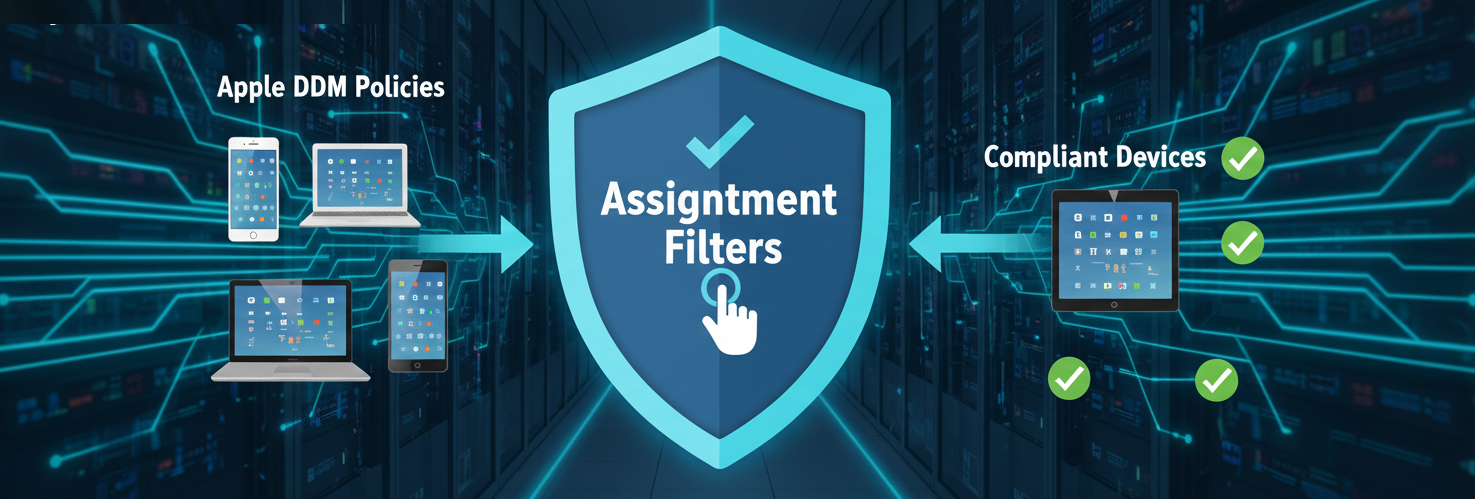
Microsoft Intune now makes it easier to target Apple devices by using assignment filters in Apple Declarative Device Management (DDM) policies.
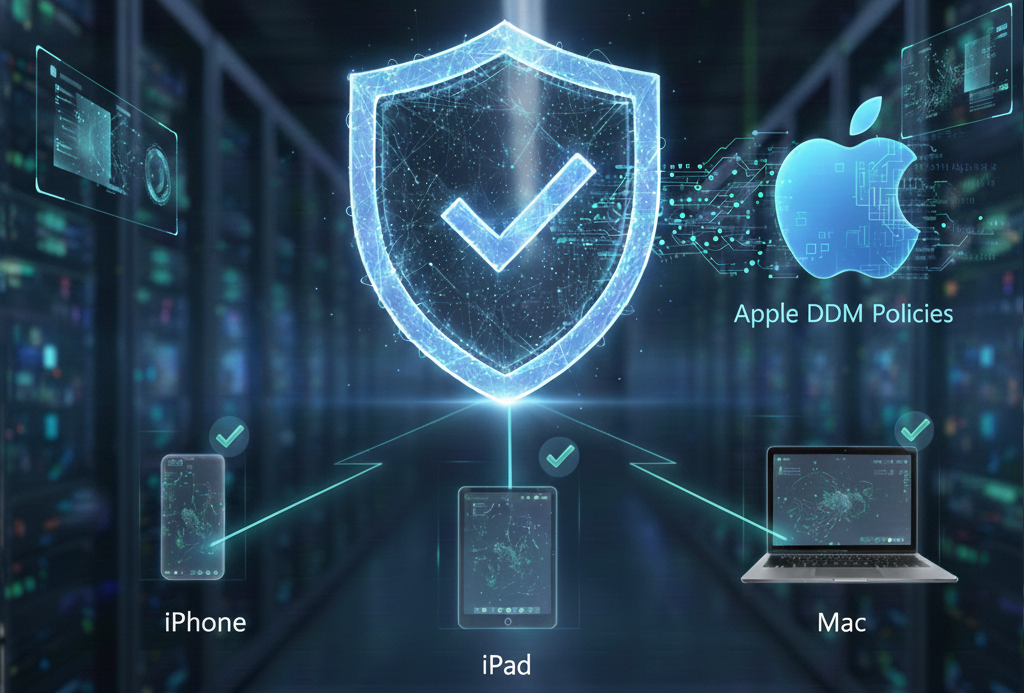
- What this does: This enhancement allows IT to apply DDM-based configurations only to devices that match defined, rule-driven attributes (like OS version or ownership).
- The Outcome: This delivers cleaner rollouts, fewer conflicts and tighter compliance across all Apple devices (iPhone, iPad and Mac fleets).
- The Bottom Line: If your organization is transitioning to the modern, autonomous DDM strategy for Apple management, this is a pivotal and essential upgrade for maintaining control.
What’s Changing and How It Affects You
Assignment filters in Intune allow you to include or exclude devices from a given policy deployment based on properties such as OS version, ownership, device type, enrollment profile and more. While filters have long existed for apps, profiles and compliance policies, Microsoft is adding support specifically for Apple DDM policies, the modern approach where devices evaluate and enforce declarations autonomously.
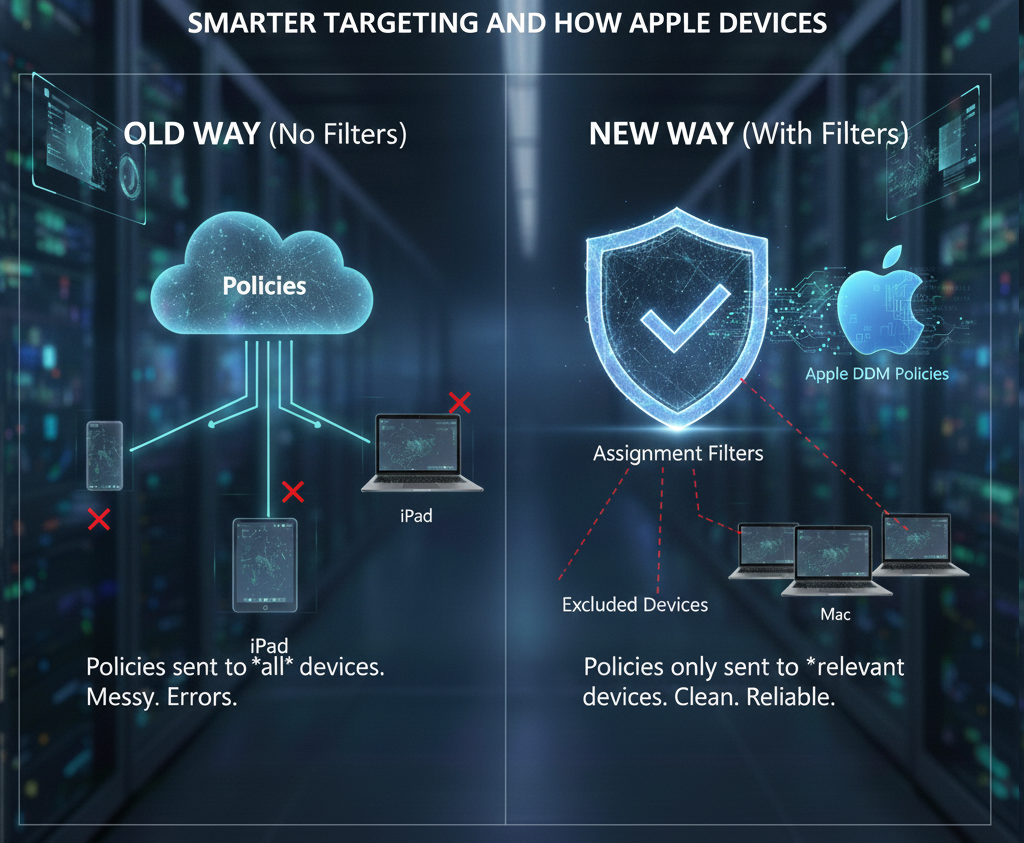
Pairing filters with DDM is powerful because-
- Devices act autonomously under DDM, applying configurations based on local state and declared rules—reducing server chatter and improving reliability.
- Filters add precision at assignment time so only relevant devices ever receive those declarations, cutting down exceptions, rollbacks and helpdesk noise.
Quick Primer – Apple Declarative Device Management (DDM)
DDM is Apple’s next-generation protocol that moves decision-making closer to the device. Instead of the server constantly polling and pushing imperative commands, DDM delivers declarations—structured statements of desired state (configurations, assets, activations). Devices then evaluate and enforce those declarations locally based on their own context. Advantages include:
- Resilience & reliability: Devices maintain state even with intermittent connectivity.
- Lower disruption: Updates to credentials or assets can occur without full profile resyncs.
- Smoother migrations: Legacy profiles can be embedded or transitioned to declarative configurations.
- For Intune-administered Apple updates, Microsoft has documented DDM-driven Software Update policies (e.g., “Enforce Latest” or “Targeted Version”) for iOS/iPadOS 17+ and macOS 14+, which already exemplify DDM’s autonomous enforcement model.
The Value of Assignment Filters for DDM
1) Granular Rollouts Without Overreach
Aim a Targeted Version OS update only at macOS 14.4–14.6 corporate devices in Engineering, while excluding Shared iPads and BYO devices. Filters make this surgical targeting straightforward.
2) Risk & Compliance Management
Push security-critical declarations to supervised devices first, hold back on unsupervised or legacy OS cohorts until compatibility testing is complete. This helps satisfy regulatory timelines while preventing app breakage.
3) Reduced Helpdesk Volume
When only appropriate devices receive declarations, you avoid user-facing errors (e.g., prompting incompatible versions) and post-deployment clean-up.
Did You Know?
- DDM lets Apple devices apply settings on their own without waiting for Intune.
- Intune already supports DDM update policies for iOS/iPadOS 17+ and macOS 14+.
- Using filters with DDM cuts down mis-targeted rollouts and helpdesk issues.
- Filters can spot things like OS version, ownership and Shared iPad status.
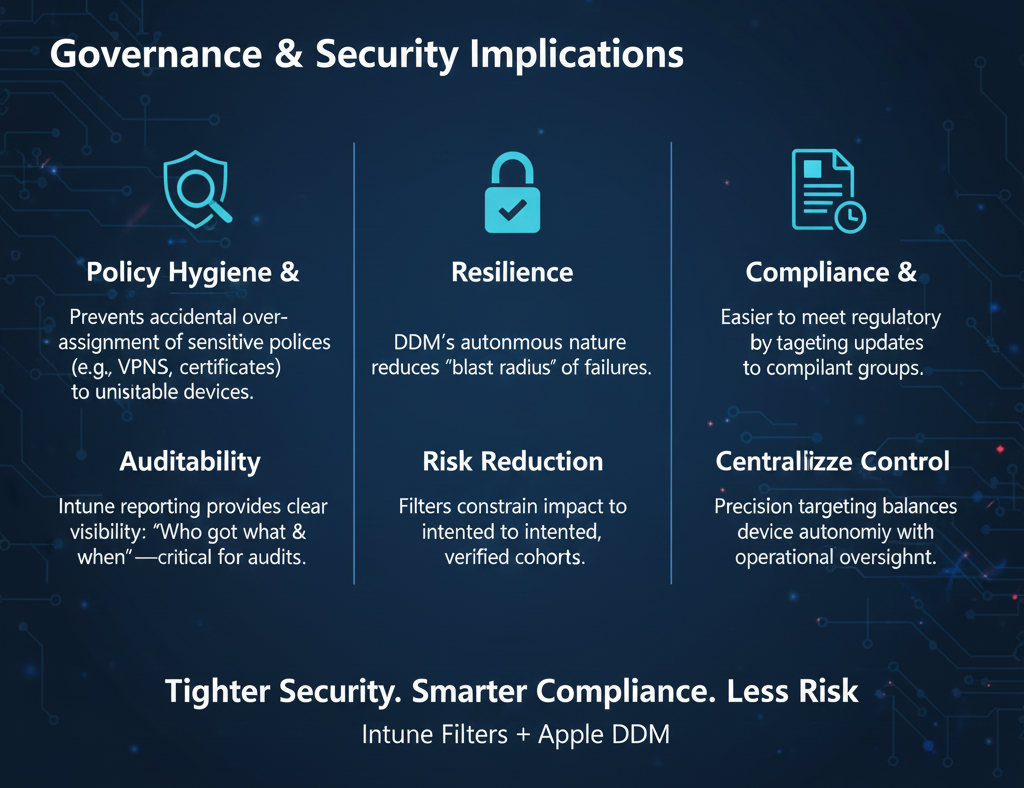
- Intune still shows clear reporting even though enforcement happens on the device.
In short: DDM gives Apple devices more control and filters make sure only the right ones get your policies. Together, they make rollouts smoother, cleaner and far less stressful.
Planning Considerations
Know your Apple platform baselines
- DDM Software Update policies require iOS/iPadOS 17+ and macOS 14+. Build filters that reflect these prerequisites to prevent mis-targeting devices below the threshold.
Inventory accuracy
- Ensure Intune’s device records (ownership, compliance, OS version) are current. Filters are only as good as your data
Change management
- Map waves (pilot, broad, final) with filter criteria for each stage. This aligns with DDM’s autonomous enforcement while maintaining operational control.
Reporting & telemetry
- Plan to monitor assignment outcomes and device state changes—DDM reduces chatter, but visibility remains essential for audit and troubleshooting.
Steps – Using Assignment Filters with Apple DDM Policies in Intune
Prerequisites-
- Intune environment configured for Apple management.
- Target devices meeting DDM Software Update requirements (iOS/iPadOS 17+, macOS 14+).
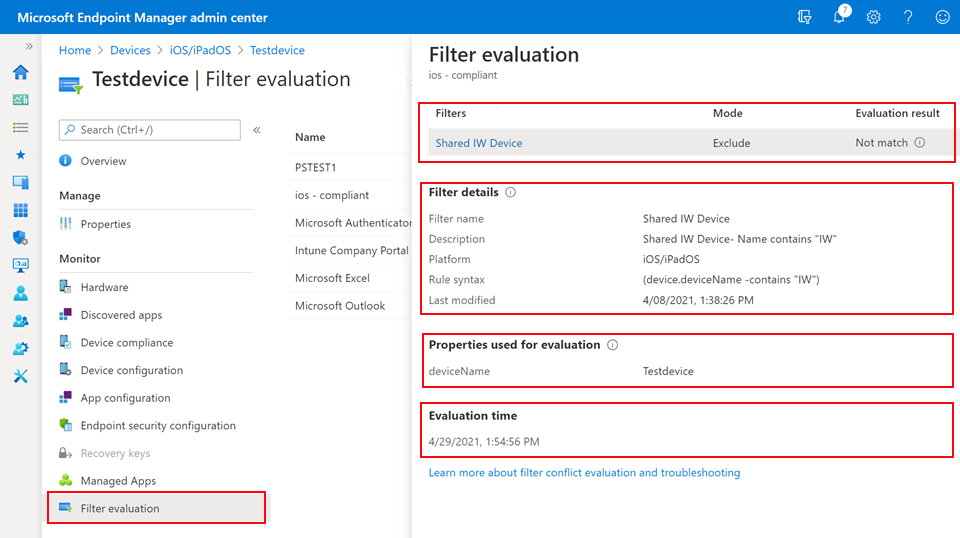
A) Create an Assignment Filter
- Intune Admin Centre → Devices → Filters → Create.
- Provide a Name and Description (e.g., DDM-macOS14plus-CorpOwned).
- Platform: Select the relevant Apple platform (iOS/iPadOS or macOS).
- Rules: Define conditions, such as:
- device.osVersion >= 14.0 for macOS Sonoma or later, or >= 17.0 for iOS/iPadOS.
- device.deviceOwnership == “Corporate” to limit to organization-owned.
- Include/exclude Shared iPad using the appropriate property.
- Save the filter.
B) Create a DDM-Based Policy (Example: Software Update)
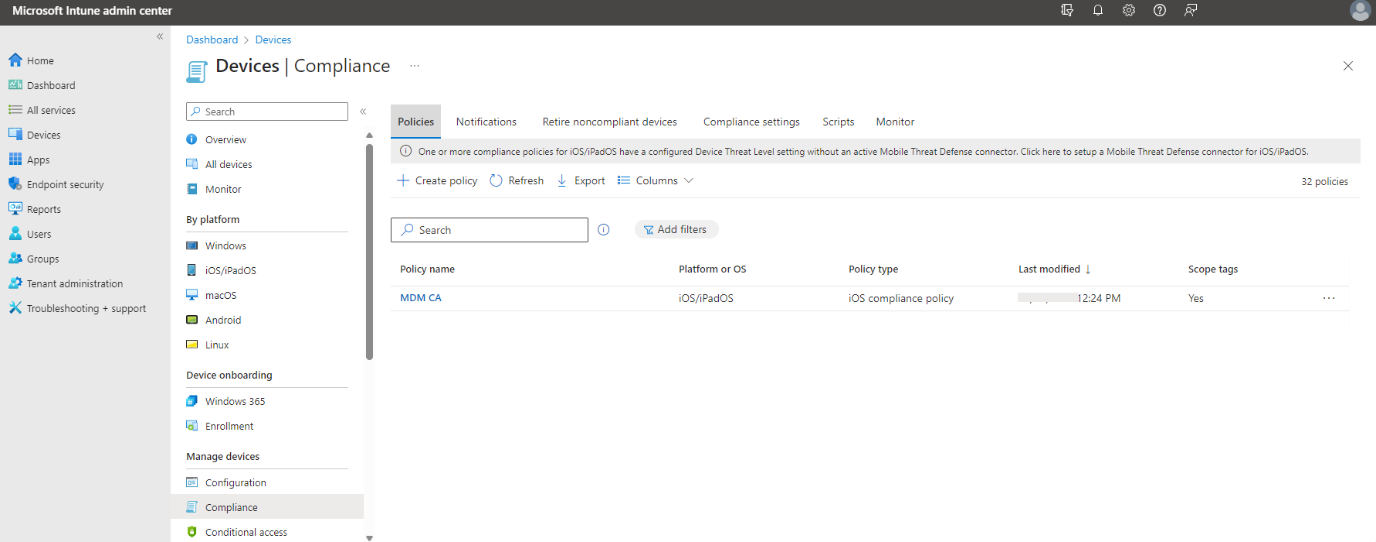
- Devices → Configuration profiles → Create profile.
- Platform: macOS or iOS/iPadOS.
- Profile type: Settings catalog.
- Search Declarative Device Management → Software Update.
- Configure either:
- Enforce Latest: Define deferral period and enforcement deadline.
- Targeted Version: Specify exact OS version and deadline.
- Proceed to Assignments.
C) Apply Your Filter During Assignment
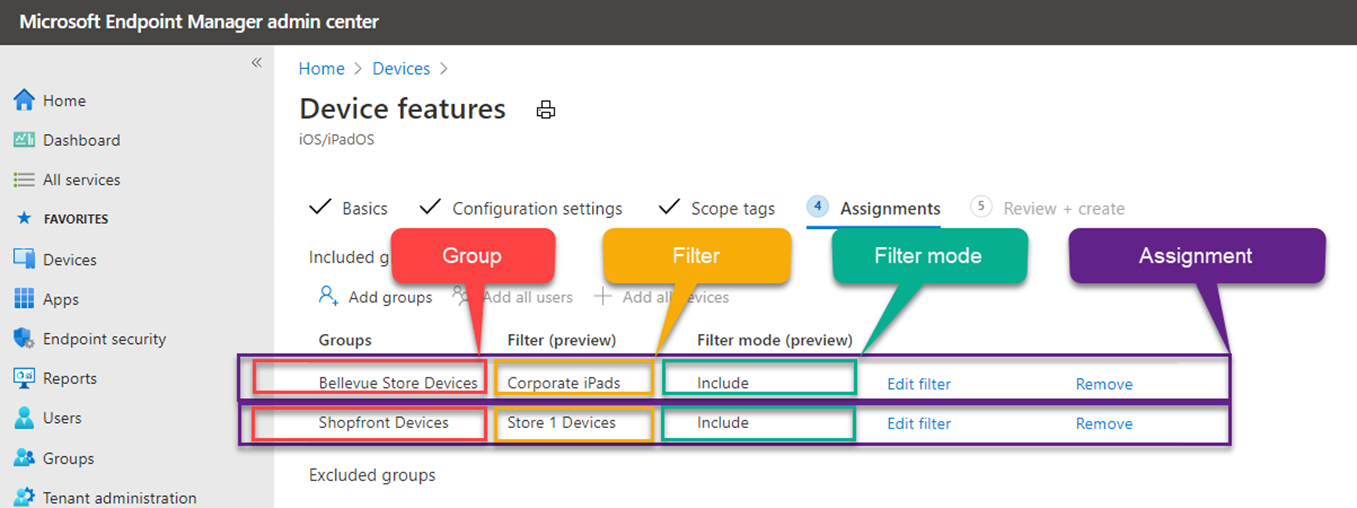
- In Assignments, choose your user/device groups.
- Under Filter:
- Include: Only devices matching the filter receive the DDM declaration.
- Exclude: Devices matching the filter are kept out of scope.
- Review → Create.
(Filters can be reused across multiple policies and toggled between Include/Exclude.)
D) Monitor & Iterate
- Check Device status and Report blades for deployment outcomes.
- Adjust filter logic as cohorts evolve (e.g., new OS releases, device joiners).
- For update policies, validate deadlines and whether devices autonomously enforced updates per the declaration.
Practical Scenarios
1) Pilot → Broad → Global OS Rollouts
- Pilot Group: Include filter for macOS >= 14.0 AND dept == “Engineering”—Enforce Latest with 3‑day deferral.
- Broad Group: Expand to Corporate-Owned Macs company-wide—7‑day deferral.
- Global: All managed Macs except Shared iPad or lab devices via Exclude filter—14‑day deferral.
This staged approach balances speed with stability.
2) Compliance-Driven Targeted Version
- Declare macOS 14.6 as the required version for finance endpoints before quarterly audits.
- Filter includes dept == “Finance” and supervised ownership.
- Devices enforce compliance autonomously by the deadline, reducing manual push efforts.
3) BYO vs. Corporate Devices
- Exclude BYO (personal) devices from high-impact declarations (e.g., kernel or VPN changes) using ownership filters.
- Apply lighter configurations or app protection policies separately to personal devices.
Best Practices
Model filters as reusable building blocks
- Create filters for common cohorts (e.g., “Corp‑Owned iOS17+,” “Shared iPad,” “Mac Sonoma+”) and apply consistently across declarations.
Start declarative for updates, expand to configurations
- Begin with Software Update declarations—clear ROI and measurable outcomes—then move to Wi‑Fi, certificate, or security configurations.
Document filter intent and scope
- Maintain an internal runbook describing each filter’s logic, target groups and policy linkages to aid audits and troubleshooting.
Use Include/Exclude in tandem
- Combine an Include filter (desired cohort) with an Exclude filter (exceptions like labs, kiosks, or special hardware) for maximum precision.
Validate with pilot telemetry
- After the first wave, confirm device-side enforcement times and user impact. Adjust deferrals or deadlines if needed.
What Should You Do Now?
- Check your Apple device readiness — make sure your fleet has enough devices on iOS/iPadOS 17+ or macOS 14+ to benefit from DDM.
- Create your core filters — Corp Owned, BYO, Shared iPad and OS version groups. These will become your reusable building blocks.
- Pick one DDM policy to start with — most teams begin with Software Updates (Enforce Latest or Targeted Version).
- Run a small pilot — apply your filter to a controlled group and watch how devices enforce updates on their own.
- Review the telemetry — confirm deadlines, behaviour and rollout patterns before scaling up.
- Roll out in waves — Pilot → Broad → Full deployment, using Include/Exclude filters to stay in control.
→ If you want this done without second-guessing, TECHOM Systems can help design your filters, plan your waves and set up your Apple DDM rollout the right way, clean, compliant and future-ready.Call 1800 867 669 or email hello@techomsystems.com.au to get started today.
DDM gives Apple devices the power to manage themselves. Intune’s new assignment filters make sure only the right ones receive your policies.
Make Apple DDM + Intune Assignment Filters Easy With TECHOM Systems
Apple DDM and Intune assignment filters give you control over your iPhone, iPad and Mac fleets—but only if they’re set up correctly. Misconfigured filters or rollout waves can cause errors, extra helpdesk tickets, or device conflicts.
TECHOM Systems makes it simple-
- Build smart, reusable assignment filters for your Apple DDM device groups
- Plan rollout waves safely (pilot → broad → full) across macOS and iOS/iPadOS devices
- Avoid policy conflicts and legacy MDM issues
- Ensure Intune-managed updates and configurations deploy smoothly
No jargon. No stress. Just clean, reliable Apple device management.
Ready to implement Intune Apple DDM assignment filters without headaches? TECHOM Systems can guide you every step of the way.
Frequently Asked Questions (FAQ)
#1: Does this replace traditional MDM assignments for Apple?
No. Intune continues to support MDM‑style policies. The new capability specifically adds assignment filters to DDM policies, complementing existing targeting tools. Our experts can help you implement this smoothly.
#2: What Apple versions are required for DDM Software Update policies?
iOS/iPadOS 17+ and macOS 14+. Devices below these versions won’t enforce declarative software updates and should be filtered out to avoid mis-targeting. TECHOM Systems team can help you identify device baselines and set filters correctly.
#3: Can I use filters for both Include and Exclude in the same policy?
Yes. Filters are reusable and support Include and Exclude modes, enabling layered targeting strategies. Exprts at TECHOM Systems can assist in designing these filters for your device groups to ensure precise deployment.
#4: How do DDM declarations interact with existing profiles?
Apple supports transitional mechanisms—profiles can be embedded or migrated to declarative configurations to minimize disruption during the shift to DDM. We offer services like smooth migration from legacy profiles to DDM without affecting users.
#5: Will reporting show which devices enforced a declarative deadline?
Intune’s monitoring for Apple updates provides visibility into deployment outcomes and compliance with declared deadlines, even though devices enforce them autonomously.
Implementation Checklist
- Confirm device cohorts and OS baselines (iOS/iPadOS 17+, macOS 14+).
- Define reusable filters for Corp‑Owned, BYO, Shared iPad and OS thresholds.
- Create DDM policies (start with Software Update Enforce Latest or Targeted Version).
- Assign policies using Include/Exclude filters.
- Pilot, monitor and iterate with clear rollout waves.
Need help getting started? Contact our experts for a consultation to ensure smooth and efficient Intune Apple DDM deployment.
Conclusion
Microsoft Intune’s assignment filters for Apple DDM policies bring precision and control to modern Apple device management. By targeting devices based on properties like OS version, ownership and enrolment profile, you can roll out macOS software update policies and iOS/iPadOS updates safely, reduce errors and maintain compliance across iPhone, iPad and Mac fleets.
- Roadmap & Dates: Feature planned for January 2026, Roadmap ID 536575.
- Next Steps:
- Create and apply assignment filters to ensure the right devices receive DDM-based policies.
- Configure Intune Apple DDM Software Update policies for autonomous device enforcement.
- Transition legacy profiles smoothly using Apple’s declarative device management principles.
Need help implementing Intune Apple DDM for your organization? Our experts can guide you through policy setup, deployment and optimization for seamless Apple device management.


A content strategist and IT writer with over 7 Years of experience simplifying complex tech concepts into clear, actionable insights. Specialising in cloud computing, cybersecurity and enterprise IT trends, he crafts content that bridges the gap between technical depth and business value. Helping businesses thrive with practical guidance, Pradeep talks about facts, is keen to share knowledge, and always puts the community first. Outside of work, he enjoys exploring open-source projects and mentoring aspiring IT professionals, reflecting his passion for continuous learning and community growth.