Micro Summary: This blog explains all about Office 365 Data Migration, why it is important for modern Australian businesses and its performance with minimal data loss. Office 365 data migration supports scenarios like on-premises SharePoint migration, email migration with step-by-step approach. TECHOM Systems is here to provide this service with full support and guidance.
Key Insights:
Before you go ahead and read the full blog, here are a few simple insights that will help you understand what you can expect and how it can help your business:
- Office 365 data migration helps boost security, improve collaboration and reduces IT overhead to grow Aussie business in a better way.
- Know what is Office 365 data migration, why Office 365 data migration matters and why businesses are moving to Office 365.
- When it comes to migration, it includes identity sync, mailbox transfer, validation and data mapping. Some common migration process you will get to know about in this blog will be the pre actionable steps, preparing Office 365 environment, choose the best method type and proceed further.
- Getting support from TECHOM Systems can help you a lot in processing Office 365 Data Migration and keep your data safe from data loss and any breaches.
Believe it or not, Office 365 data migration has become very important nowadays when it comes to managing business smoothly. When it comes to move data to Office 365, it brings many benefits like easy access to files from anywhere, better collaboration and more flexibility as your business grows. In this blog, I will talk all about Office 365 data migration. We will also talk about how to prepare your team for migration. But before that, let’s focus on what is Office 365 Data Migration and why does it matter for a business?
What Is Office 365 Data Migration?
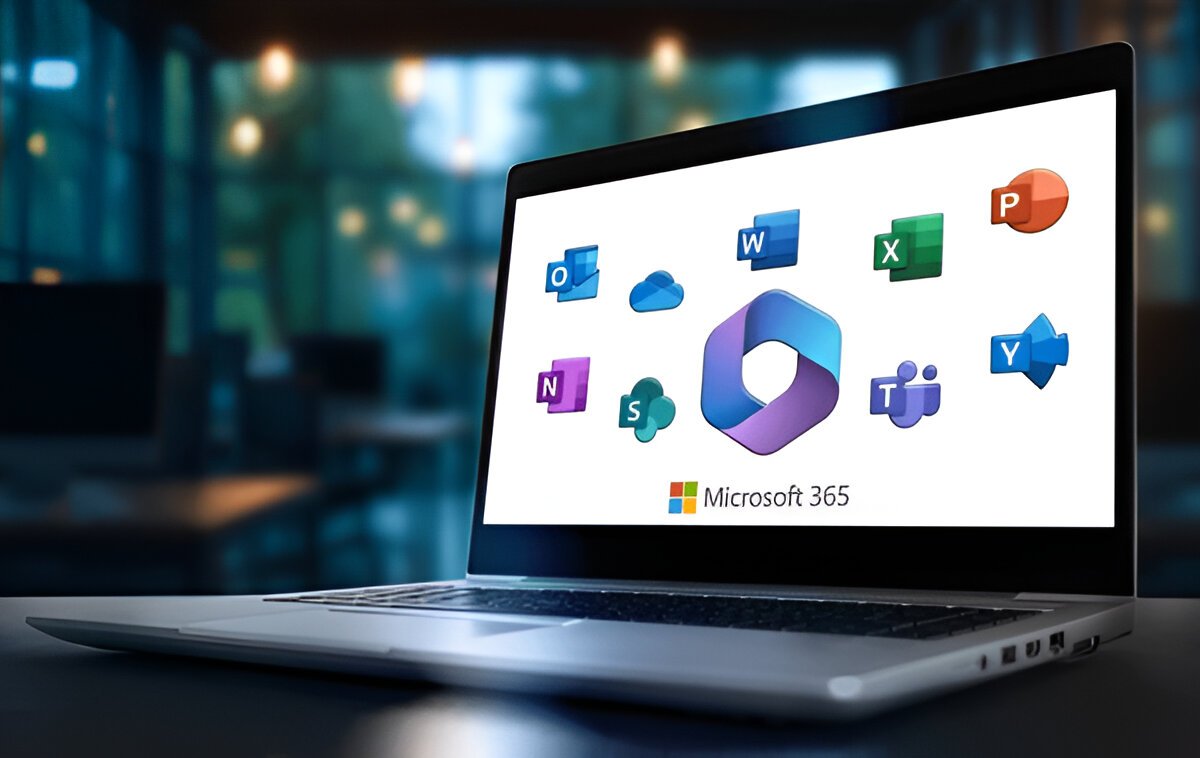
In simple terms, Office 365 data migration is the process of transferring digital assets like contacts, emails, calendars, user accounts, documents and permissions into Microsoft 365’s cloud platform. While performing the migration process, it is very important to handle this migration carefully as it can lead to data loss. Below, you will get a detailed process involved in Office 365 data migration:
- Transferring files and documents to OneDrive or SharePoint in Office 365.
- Migrating data between different Office 365 tenants if your company is merging or changing accounts.
- Moving emails, contacts and calendars from your current system to Office 365.
- Keeping your data secure during the entire migration process.
- Ensuring all user accounts and permissions are set up correctly after migration.
For businesses researching What is Office 365 Data Migration, the concept may seem overwhelming at first. However, with the right plan, the process becomes structured, predictable and secure.
Free Tips For You: Get Expert Office 365 Migration Consulting Today
Why Office 365 Data Migration Matters For Aussie Businesses?
If you are moving to Office 365 then it is not just a technical upgrade, it’s a great step towards creating a more productive, secure and flexible workplace for Aussie businesses. As we know, teams in Sydney, Melbourne, Perth and other regional areas shift to hybrid work, so the need for secure file sharing and reliable cloud access has become more important. And for this reason, I can say that Office 365 data migration matters because it helps businesses operations run smoothly without any worry of clunky servers or outdated systems.
There are still many businesses who run old email servers, scattered cloud platforms or unmanaged storage systems, however, this leads to slow performance, downtime and unnecessary IT costs. If a proper Office 365 data migration takes place, it ensures things like files, calendars, permissions, emails and user settings, all move securely into the Microsoft ecosystem. It gives your teams a secure singe space to work from device from anywhere. The team can now stay connected and productive with tools like OneDrive, Outlook, SharePoint as well as Microsoft Teams. No matter whether the team is working remotely or from any regional suburbs.
Another major reason for which Office 365 migration matters is security. Yes, we all know that cyber threats continue to rise across Australia and many businesses still struggle with some outdated security configurations. Perfect migration ensures that the organization benefits from built-in protections like threat detection, multi-factor authentication and data loss prevention. All these features help a lot in protecting sensitive customer information and financial data.
If you want to get assistance on how important is to move data to Office 365 and how to perofrm the process for Office 365 data migration, you can book a free consultation with TECHOM Systems and make your business smoother.

Why Businesses are Moving To Office 365?
Nowadays, organizations prefer to move to Office 365 and the reasons behind this choice are mentioned below:
Strong Security: Protects your data from cyber risks with its built-in threat protection, compliance controls and multi-factor authentication. All these layers safeguard files, emails and user accounts which helps businesses reduce the risk of breaches.
Improved Collaboration: Microsoft 365 brings Teams, Outlook, SharePoint and OneDrive into one ecosystem which enables teams to share files communicate and work together from anywhere. This centralised environment eliminates tool switching, reduces confusion and boosts overall productivity.
Automated Updates: Microsoft automatically manages patches, feature updates and backend performance improvements. Your IT team no longer needs to schedule or manually deploy updates which reduces downtime and ensures your environment stays safe and secure.
Cost Efficiency: Migrating to Office 365 helps businesses eliminate the high costs of maintaining outdated storage hardware, on-premise email servers and manual upgrades. With this, you shift to predictable, subscription-based pricing with far lower operational overheads.
Scalable Licensing: As your business grows, it allows you to add or adjust licences instantly without purchasing new hardware. This makes scaling simple, cost-effective and aligned with actual usage.
Streamlined Remote Work: Employees can securely access emails, documents and shared resources from any device, anywhere. This flexibility supports hybrid teams, improves responsiveness and ensures your workforce stays productive on the move.
Guide For You: Migrate Outlook Data To Office 365 With Zero Data Loss
Types of Office 365 Data Migration
When you wish to know how to migrate to Office 365, there is not just a single type of migration, five major types of migration can be done. You can choose the one based on your current environment and business goals. Have a look at this table and compare the best as per your choice:
Office 365 Migration Methods — Comparison Table
| Migration Method | Best For | Key Features |
| Cutover Migration | Small organisations with fewer than 150 mailboxes | • All mailboxes migrate at once • Fast but requires downtime • Simple to execute |
| Staged Migration | Companies with large mailboxes or phased rollouts | • Mailboxes migrate in batches • Allows coexistence • Less disruption for users |
| Hybrid Migration | Businesses running on-prem Exchange and moving gradually to the cloud | • Seamless coexistence • Supports mailbox moves both ways • Recommended for large enterprises |
| IMAP Migration | Organisations using older or non-Exchange email systems | • Transfers emails only • Contacts and calendars migrate separately |
| Google Workspace Migration (Migrate Google to Office 365) | Businesses moving from Google Workspace to Microsoft 365 | • Moves Gmail, Drive, Contacts & Calendars • Requires permission mapping • Usually completed in phases |
Did You Know?
- 70% of the organisations now rely on cloud-based email, collaboration, and security making Office 365 the default platform for modern workplaces.
- By removing on-prem servers, outdated licenses, storage hardware and manual maintenance, businesses save significantly on long-term infrastructure costs.
- Many organisations don’t realise how many misconfigurations exist in their environment until they audit or migrate to Microsoft 365.
These insights show why Microsoft Office 365 has become the preferred choice for Australian businesses adopting modern, cloud-based workflows.
How To Migrate To Office 365: Step-By-Step Guide

A successful Office 365 data migration requires careful planning, the right tools and a clear understanding of your current environment. This detailed step-by-step guide helps your business move to Microsoft 365 smoothly whether you are migrating emails, files, SharePoint or planning to migrate Google to Microsoft Office 365.
Step #1. Pre-Migration Assessment
Every smooth Office 365 migration begins with a full assessment of your existing environment. This helps identify risks, gaps, licensing needs and migration limitations before moving any data.
Key Items To Audit:
- Existing email platform (Exchange, Google Workspace, IMAP, POP3, Zimbra, etc.)
- Total number of users and mailboxes
- Shared mailboxes, distribution groups, and aliases
- Current storage systems (NAS, file servers, cloud drives)
- Mailbox sizes and storage quotas
- Folder permissions and access rights
- DNS hosting and domain configuration
- Security policies and MFA setup
- Compliance requirements (legal hold, retention labels, industry regulations)
This assessment forms your Office 365 Email Migration Plan, which determines timelines, required resources and the best migration approach for your business.
Step #2. Preparing Your Office 365 Environment
Before moving any data, you must prepare and configure the Microsoft 365 tenant. Proper setup reduces errors and ensures all users have the right tools from day one.
Essential Office 365 Pre-Migration Tasks:
- Purchase and assign the correct Microsoft 365 licences
- Add and verify domains
- Update DNS records (TXT, MX, CNAME, SPF, DKIM, DMARC)
- Create users and assign licences
- Enable MFA, conditional access and baseline security policies
- Configure OneDrive storage and SharePoint site structures
- Set up Teams organisation settings and permissions
- Prepare retention, audit logging and compliance configurations
This ensures that your environment is secure, compliant and ready for mailbox and data migration.
Step #3. Selecting the Right Office 365 Migration Method
Choosing the correct migration method is one of the most important decisions in the project. The choice impacts downtime, cost and how users transition to the new platform.
Factors Influencing The Method:
- Current email system (Google, Exchange, IMAP, etc.)
- Number of users
- Size and complexity of mailboxes
- Coexistence requirements (old & new system running simultaneously)
- Internal timelines and downtime tolerance
For this, you can choose the best method as mentioned in the above table as this can help you perform migration without any disruption.
Common Migration Methods Include:
- Cutover Migration: Best for small businesses wanting a fast, one-time move.
- Staged Migration: Ideal for medium environments migrating in batches.
- Hybrid Migration: Used when on-prem Exchange coexists with Office 365.
- Google Workspace to Office 365 Migration: Requires Google APIs, throttling management and third-party tools.
Selecting the correct approach ensures a smooth Office 365 data migration with minimal disruption.
Step #4. Preparing Users for Migration
User readiness plays a massive role in the success of an Office 365 migration. Without proper communication, you risk confusion, login failures and unnecessary support tickets.
Users should be informed about:
- Migration dates and downtime expectations
- Outlook profile updates or reconfiguration
- New login processes and password reset instructions
- How to access their new mailbox
- Using OneDrive instead of local file storage
- Teams communication guidelines
- Basic SharePoint navigation
Poor communication is one of the top reasons Office 365 migrations fail. Preparing users early helps create a smooth transition.
Step #5. Executing Office 365 Data Migration (Emails, Files & SharePoint)
When execution begins, the migration follows a structured sequence to avoid data loss and ensure accuracy.
Steps To Follow:
- Start mailbox migration batches
- Import PST archives and legacy mail
- Transfer calendars, contacts, rules and signatures
- Move distribution lists and shared groups
- Migrate shared mailboxes and resource mailboxes
- Recreate permissions and sharing settings
- Migrate OneDrive folders and SharePoint libraries
- Validate data and folder structure integrity
SharePoint Migration (If You Need to Migrate SharePoint On Premises to Office 365)
This is often the most complex part of the project and includes:
- Reviewing information architecture
- Rebuilding or optimising permissions
- Mapping metadata, workflows and content types
- Migrating sites, subsites, lists and libraries
- Testing site functionality post-migration
A precise, well-controlled process prevents broken permissions, lost metadata or inaccessible files.
Step #6. Post-Migration Tasks
Once migration is complete, several final tasks ensure that your Office 365 environment is stable, secure and functioning correctly.
Post-Migration Checklist:
- Update DNS/MX records to final values
- Validate mailbox content and shared resources
- Reconfigure Outlook and mobile profiles
- Review mail flow rules, connectors and transport rules
- Test SharePoint & Teams permissions
- Reassign shared mailbox ownership
- Review security alerts and audit logs
- Enable retention, backup and compliance policies
These steps ensure your Office 365 setup is fully operational and aligned with business requirements.
What Should I Do Now?
After reading about office 365 Data Migration, here’s what I recommend doing to make the most of these updates:
- Perform Pre-Migration Assessment: You should first have a look at the pre-migration assessment and then preapre your Office 365 environment.
- Choose the Migration Method: Choose the migration method among the mentioned four types above and then proceed for the miogration process.
- Reach Out for Help: If you need guidance or want expert support on how to migrate office 365 data then contact us at hello@techomsystems.com.au.
Following these steps will help you know the Office 365 data migration process for modern Australian businesses and its performance with minimal data loss.
Why Choose TECHOM Systems For Office 365 Data Migration?
Microsoft Office 365 Migration Serive is a big step for any business. Whether it is Office 365 data migration between tenants or an Email Migration to Office 365, choosing the right partner can make all the difference. TECHOM Systems has the expertise and experience to help Australian businesses make this transition smoothly and securely.
Here are some reasons why TECHOM Systems is the best choice for Aussie Businesses:
Experienced Migration Team
Our skilled team has handled many successful Office 365 data migrations. We know the common challenges and how to avoid them to keep your migration on track.
Customized Migration Plans
We tailor every migration plan to fit your business needs. Whether it is a Microsoft office 365 tenant migration or an email migration, we create a clear, step-by-step strategy to prevent delays and data loss.
Strong Focus on Security
Protecting your data is our priority. We use trusted tools and follow Australian privacy laws to keep your sensitive information safe during the entire migration process.
Minimized Downtime
We schedule migrations carefully to avoid disrupting your business. Our team communicates clearly and performs test runs to ensure a smooth transition with minimal downtime.
Complete Post-Migration Support
Our work does not stop after data transfer. We perform thorough checks to confirm everything is working correctly and provide ongoing support to solve any issues quickly.
With TECHOM Systems, your Office 365 data migration between tenants or Email Migration to Office 365 will be handled professionally and securely, so your business can focus on growth without interruptions.
Frequently Asked Questions
Q1: How Do You Migrate Data To Office 365?
Ans: You can migrate data to Office 365 by assessing your current environment, preparing the Microsoft 365 tenant, choosing the right migration method and then moving mailboxes, files and permissions using Microsoft or third-party tools.
Q2: What Is Office 365 Migration?
Ans: Office 365 migration is the process of moving data and workloads to a Microsoft 365 tenant from an on-premises environment, another Microsoft 365 tenant or other cloud platforms.
Q3: What Are The 7 R’s Of Data Migration?
Ans: The 7 R’s of cloud migration (rehost, relocate, replatform, refactor, repurchase, retire and retain) represent seven strategic approaches for moving applications and workloads to the cloud. Each application has its own architecture, dependencies and business needs.
Q4: How To Migrate From One Office 365 Account To Another?
Ans: To migrate from one Office 365 account to another, you need to follow a tenant-to-tenant migration process. First, you must set up the new Office 365 tenant, assign licenses and verify domains. After this, migrate mailboxes using Microsoft’s cross-tenant mailbox migration tools or trusted third-party platforms. Now, you must move OneDrive files, Teams chats, and SharePoint sites, ensuring permission mapping stays intact. Finally, you can update DNS records, switch the domain to the new tenant and validate email flow and access.
Q5: What Are The 4 Types Of Data Migration?
Ans: The four types of data migration commonly used in businesses are:
- Storage Migration – Moving data between storage systems (e.g., on-prem storage to new hardware).
- Database Migration – Transferring data between database platforms or versions.
- Application Migration – Moving applications and their data to a new environment.
- Cloud Migration – Moving data, workloads or services to cloud platforms like Microsoft 365 or Microsoft Azure.
These categories cover most migration scenarios across modern IT environments.
Final Verdict
Office 365 data migration can truly change the way your business works, but it only works well when done in the right way. By following the correct way to migrate Office 365 data with the above methods mentioned in this blog, you will be easily able to perform the steps without any data breach.
Are You Ready to Make Your Office 365 Data Migration Simple and Secure?
Get in touch with TECHOM Systems today and let’s make your Office 365 data migration easy. Our team will support you every step of the way.

Technical Specialist with 10+ years of experience in IT solutions, data engineering and AI-driven automation. At TECHOM Systems, she focuses on delivering secure, scalable and business aligned technology strategies. She applies advanced technical skills to develop scalable solutions and integrate emerging technologies for optimized digital workflows.